
How do game studios turn a human facial performance into believable, engine-ready character animation?
Facial mocap for Unreal Engine can shorten the path from an actor’s performance to a responsive digital character—but only when capture, solving, retargeting, rigging, and engine integration are planned as one production pipeline.
This guide explains the decisions that protect emotional detail, reduce cleanup, and help AAA, independent, and co-development teams deliver facial animation that survives close-ups, gameplay constraints, and real-time rendering.
1. What Facial Mocap Captures—and What It Does Not
2. Pre-Production: Rig Readiness, Casting, and Shot Design
3. The Capture Session: Direction, Calibration, and Data Discipline
4. Solving, Cleanup, and Retargeting Without Losing the Performance
5. Facial Mocap in Unreal Engine: Integration and Real-Time Review
6. Quality Control, Delivery, and Choosing a Production Partner
8. Conclusion: Build the Pipeline Around the Performance
What Facial Mocap Captures—and What It Does Not
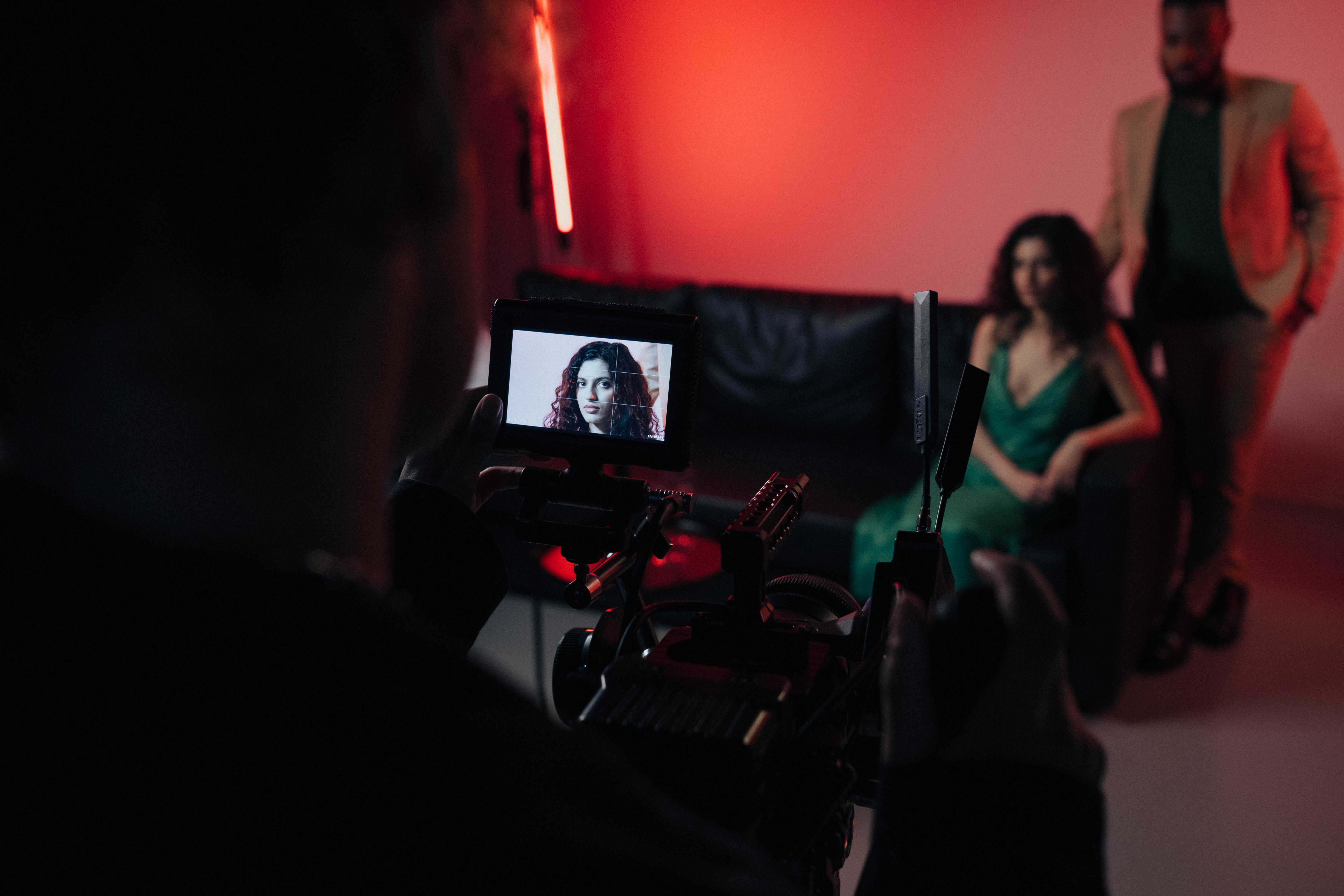
Facial motion capture records the changing shapes and movement patterns of a performer’s face so those signals can drive a digital character. Depending on the system, the source may be a helmet-mounted camera, a fixed camera array, a depth sensor, or a calibrated phone. The output is not a finished performance. It is structured animation data that must be interpreted through a facial rig, reviewed against reference footage, and shaped for the character’s design.
A technically accurate solve can still feel emotionally flat. A capture system sees landmarks, curves, blendshape weights, or mesh deformation; an audience sees hesitation, intention, eye focus, breath, and timing. Production quality comes from preserving those human signals while removing noise that distracts from them. This is why facial animation is both a technical and an acting problem.
Facial mocap cannot rescue an underprepared character. If the rig lacks expressive range, topology collapses around the lips, or eye controls cannot hold a believable gaze, excellent footage will expose those weaknesses. Character creation, capture setup, solve strategy, and final rendering should therefore be designed as one connected system, with early tests at the intended camera distance.
For AAA dialogue, close cinematics, companion interactions, and emotionally important NPC scenes, the goal is not maximum movement. It is readable movement at the right scale. A restrained brow change or delayed glance may carry more story value than exaggerated motion across the whole face. The performance must also remain coherent with body language, voice, lighting, and shot composition.
Pre-Production: Rig Readiness, Casting, and Shot Design
A reliable facial mocap Unreal Engine workflow begins before the actor steps in front of a camera. Audit the character rig against the script. Identify phonemes, emotional extremes, asymmetrical expressions, eye directions, jaw range, cheek compression, and stylized shapes required by the scene. Test them under representative lighting because a rig that looks convincing in a neutral turntable may fail in a dramatic close-up.
Casting should account for performance style as well as likeness. A stylized creature may need broad, rhythmically clear acting, while a photoreal human often benefits from controlled micro-expression and precise eyelines. Directors should define what must remain natural to the performer and what can be adapted later through retargeting or animation layers without losing character identity.
Shot planning reduces expensive recapture. Mark dialogue overlaps, physical interactions, prop handling, head turns, off-camera eyelines, and moments that require full-body context. If face, body, fingers, and voice are recorded separately, define synchronization and capture strong references. If they are recorded together, confirm cameras, microphones, markers, and suits do not interfere with one another.
A short technical rehearsal is one of the highest-value steps in the pipeline. Run representative lines through capture, solving, retargeting, and engine playback. Review with animation, technical art, cinematics, audio, and narrative teams. The rehearsal reveals naming conflicts, frame-rate mistakes, calibration drift, rig limitations, and unclear approval responsibilities while they are still inexpensive to fix.
A prepared facial system begins with strong stylized and photoreal character creation, including clean topology, expressive rigs, and engine-aware optimization.
The Capture Session: Direction, Calibration, and Data Discipline

On the capture day, consistency is as important as camera quality. Record lens, exposure, focus, frame rate, timecode, performer distance, lighting position, and calibration conditions. Lock settings whenever possible. Automatic exposure or focus can shift during expressive movement and make tracking less stable, especially around eyes, teeth, lips, and fast head turns.
Calibrate each performer carefully. Neutral poses, defined expression sets, range-of-motion passes, phoneme sequences, and controlled head rotations give the solver a clear model of how that person’s face moves. Repeat calibration after equipment changes, long breaks, or any sign of drift. A clean calibration pass often saves many hours of manual repair and artistic compromise.
Direction should serve emotion and data quality. Encourage the actor to perform the scene rather than demonstrate isolated shapes, but watch for occluded lips, extreme angles, loose hair crossing landmarks, and inconsistent eyelines. Capture wild lines, silent reactions, blinks, breathing, and transitions into and out of emotion. Editors often need these connective moments more than another identical dialogue take.
Use disciplined slate and take naming. Connect scene, shot, character, performer, take, camera, audio, and calibration identifiers. Preserve original footage as immutable source material and log preferred takes, faults, emotional intent, and retake reasons. Clean metadata makes batch processing, remote review, security checks, and vendor handoff faster and safer.
Solving, Cleanup, and Retargeting Without Losing the Performance
The solve converts recorded movement into controls the character rig can use. Automated processing helps with volume, but each production must define success. Evaluate lip closure, jaw arcs, cheek volume, brow independence, eyelid contact, saccades, gaze stability, and head-face synchronization. Compare the solve with original performance footage instead of judging only a neutral technical preview.
Cleanup should remove noise while retaining timing and asymmetry. Over-smoothing creates tidy curves but erases the tiny delays and uneven movements that make a face feel alive. Treat reference video as the authority. Repair spikes, sliding, penetrations, and solver confusion while preserving intentional tension, anticipation, breath, and reaction.
Retargeting is not copying values between rigs. A realistic actor and stylized character may have different proportions, mouth shapes, eye scale, or expression limits. Build semantic mappings such as smile, sneer, lip press, and inner-brow raise, then tune gain, offsets, constraints, and correctives for the destination character. Validate emotional extremes and subtle dialogue separately.
Body and face should be reviewed together. A perfect lip solve can still feel wrong when shoulders, head orientation, breath, or hand gestures tell a different story. Synchronization, take selection, and animation polish must preserve the full performance rather than optimize individual channels in isolation.
Review the wider motion capture production guide to connect facial data with body performance, cleanup, and game-ready delivery.
Facial Mocap in Unreal Engine: Integration and Real-Time Review

In Unreal Engine, facial animation may arrive as curves, blendshape values, Control Rig animation, or a character-specific performance asset. Establish the destination format early and keep source, solved, retargeted, and approved data separate. This makes revisions traceable and prevents animators from polishing a temporary solve or exporting from an outdated rig.
MetaHuman Animator and Live Link Face can support fast capture-to-character review, but speed should not remove production checks. Confirm frame rates, timecode, audio sync, facial-rig versions, head motion, and coordinate conventions. Test the same performance in Sequencer, gameplay conditions, and the final camera distance. Close cinematic shots and gameplay dialogue may need different emphasis.
Build review tools that compare reference video, raw solve, retargeted output, and final render side by side. Provide toggles for head motion, eyes, jaw, lips, and emotion layers. Feedback should identify whether a problem began in capture, solving, retargeting, rig behavior, polish, lighting, or rendering, so the right team can fix the right source.
Engine integration has a performance budget. Profile curve counts, evaluation cost, LOD behavior, memory, streaming, and the number of active faces. Hero characters may justify dense facial data, while background NPCs need reduced rigs, baked clips, or procedural dialogue. Plan tiers of fidelity rather than applying one expensive solution to an entire cast.
Pair facial performance with a reliable real-time gameplay animation pipeline so dialogue and reactions remain responsive in engine.
Quality Control, Delivery, and Choosing a Production Partner
Quality control should be both technical and scene-based. A technical pass checks missing frames, corrupt files, naming, synchronization, curve stability, rig compatibility, and delivery completeness. A creative pass checks emotion, dialogue readability, gaze, continuity, character identity, and whether the scene works in context. Neither pass can replace the other.
Define approval gates for selected take, solved performance, retargeted character, animation polish, engine integration, and final cinematic or gameplay review. Attach version numbers and reviewer notes to every gate. When a line changes late, teams can identify exactly which stages must be repeated instead of restarting the entire chain.
When evaluating a facial capture partner, request an end-to-end test using your character and engine. Review how the partner handles pre-production, performer direction, data ownership, security, calibration, audio, body-face synchronization, cleanup, retargeting, naming, revisions, and technical support. A low capture-day price becomes expensive when delivered data requires extensive internal repair.
Mimic Gaming works as an extension of development teams, connecting character performance, motion capture, cleanup, retargeting, technical art, and engine-ready delivery. That approach helps studios preserve the actor’s intention while producing data that animation, cinematics, and gameplay teams can use without rebuilding the pipeline after capture.
Use this motion capture partner selection guide to structure vendor tests and delivery expectations.
Explore Mimic Gaming’s character performance and animation services for connected capture, retargeting, polish, and integration support.
Frequently Asked Questions
What is facial motion capture for games?
It records a performer’s expressions and converts them into data that drives a digital character. Production workflows add solving, cleanup, retargeting, animation polish, and engine integration.
How is facial mocap different from body motion capture?
Body mocap focuses on skeletal movement, weight, and locomotion. Facial mocap captures smaller deformations around the eyes, brows, cheeks, jaw, and lips. Performance capture often records face, body, voice, and fingers together.
Can facial mocap work with Unreal Engine MetaHumans?
Yes. MetaHuman Animator and Live Link Face are common options, while studios may use other systems. Rig compatibility, synchronization, retargeting, review, and performance budgets remain essential.
Do studios still need animators after facial capture?
Yes. Animators select takes, repair artifacts, preserve emotional timing, adapt movement to the character, refine eyes and lips, and ensure the result works with camera, audio, lighting, and gameplay.
Can one performance be retargeted to several characters?
Yes, when each destination rig has semantic mappings and suitable correctives. Stylized proportions, expression ranges, and anatomy require tuning rather than simple one-to-one transfer.
What causes facial mocap to look uncanny?
Unstable eyes, weak lip contact, over-smoothed curves, mismatched head timing, poor deformation, excessive symmetry, incorrect gaze, and rigs that cannot reproduce the performer’s range are common causes.
Should face, body, and voice be captured together?
Simultaneous capture preserves natural timing and actor chemistry. Separate capture can be flexible. Either works when timecode, reference, direction, naming, and synchronization are planned.
How should studios test a facial mocap vendor?
Run a representative scene through the full pipeline using your character and engine. Review capture, solve fidelity, retargeting, cleanup, documentation, security, revisions, and final in-engine performance.
Is facial mocap useful outside cinematics?
Yes. It supports gameplay dialogue, companions, NPC reactions, interactive conversations, real-time avatars, and live experiences, usually with appropriate LODs or data compression.
Conclusion: Build the Pipeline Around the Performance
Facial mocap succeeds when production protects the actor’s intention from rehearsal through final engine playback. The best workflow is defined by clear creative goals, a prepared rig, disciplined capture, measured cleanup, character-aware retargeting, useful review tools, and delivery standards that fit the game.
If your team is planning dialogue scenes, digital humans, cinematic characters, or scalable NPC performance, contact Mimic Gaming to discuss a production-ready facial animation pipeline.
You can also explore the studio’s technology capabilities and its broader game art, animation, and development support.
For related planning, read the video game animation pipeline guide before your next capture test.
 September 28, 2026
 September 24, 2026
 September 22, 2026