

Game asset optimization is where beautiful production art becomes reliable real-time content. A hero character, prop kit, cinematic environment, scan, or animation library may look impressive in a DCC tool, but it still has to survive frame budgets, memory limits, loading behavior, animation states, lighting, collision, platform differences, and build reviews.
For studios working in Unreal, Unity, or proprietary engines, optimization is not a final cleanup pass. It is a production discipline that starts at briefing and continues through modeling, materials, rigging, export, engine validation, QA, and live updates. When it is planned early, teams can protect visual ambition without creating expensive technical debt.
Mimic Gaming supports studios with 3D game development services that connect art direction, motion capture, technical art, and engine delivery. This guide explains what production teams should optimize, how to measure it, and how to build a handoff that keeps assets usable from first import to final build.
What Game Asset Optimization Really Means
Game asset optimization is the process of shaping art, animation, materials, and metadata so they perform inside a real-time production environment. It includes polygon density, LOD strategy, texture resolution, material complexity, draw calls, memory use, skeleton standards, animation compression, collision, lightmap or lighting choices, naming, file structure, and engine import rules.
A useful optimization process does not simply reduce quality. It decides where quality matters most. A cinematic hero face, a background crowd character, a modular wall kit, a scanned prop, a weapon, and an open-world landmark all need different budgets because players see and use them differently.
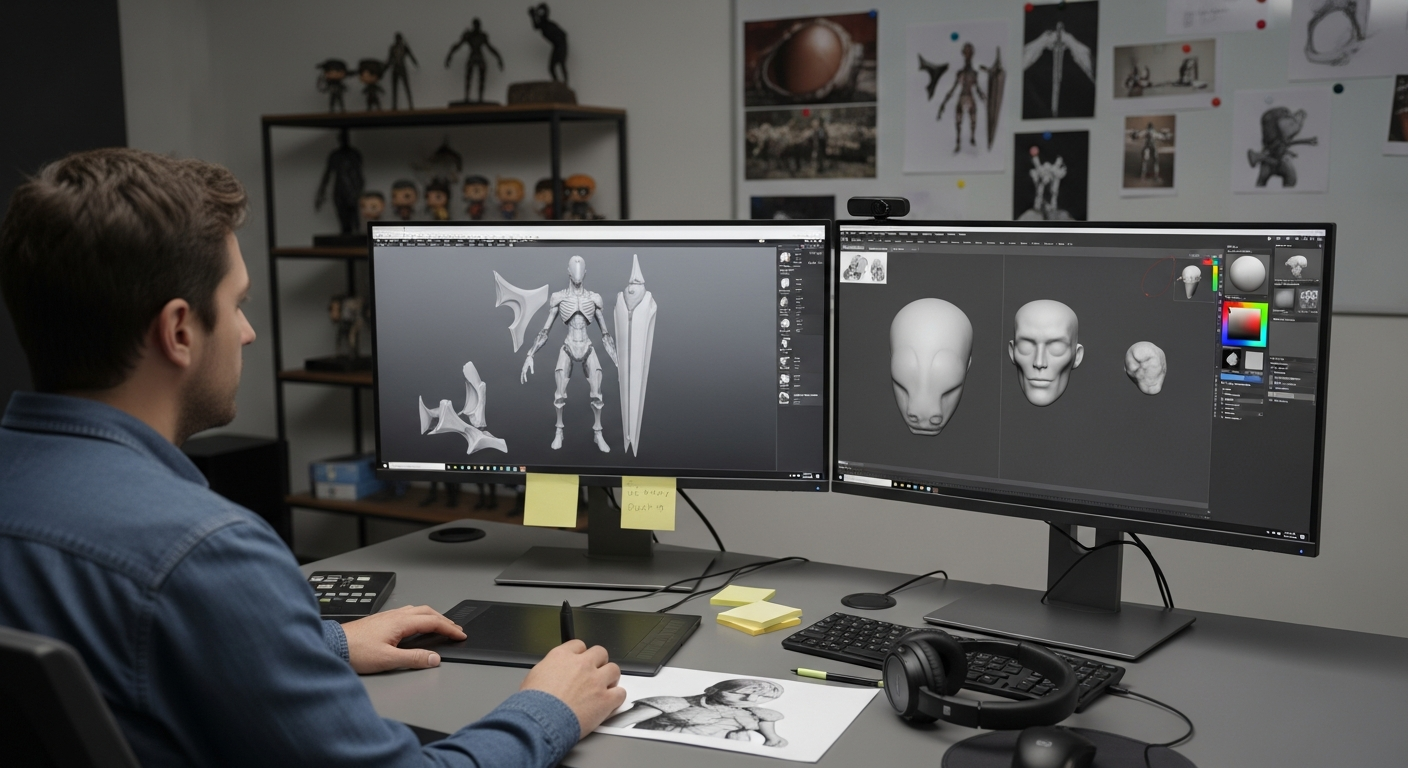
This is closely tied to a technical art pipeline. Technical artists translate visual goals into measurable engine rules so artists can create confidently and engineers are not left to solve every content problem at the end of production.
Visual optimization protects silhouette, surface detail, lighting response, and animation readability.
Runtime optimization controls memory, frame cost, streaming, shader complexity, and platform performance.
Workflow optimization makes files predictable, reviewable, reusable, and easier to update after launch.
Why Optimization Improves Production

Optimization improves production because it turns approval into evidence. Instead of asking whether an asset looks good in isolation, the team can ask whether it imports cleanly, animates correctly, stays within the target budget, keeps the intended look in-game, and passes QA on the platforms that matter.
For outsourcing and external collaboration, this is especially important. A partner may deliver attractive art, but the studio still loses time if files arrive with inconsistent skeletons, oversized textures, unclear source history, missing collision, expensive materials, or no engine validation. A strong game art outsourcing process includes optimization standards before production batches scale.
Optimization Benefits for Studios
Faster review cycles because art, tech art, engineering, and QA share the same acceptance criteria.
Lower rework because texture, rig, material, collision, and export rules are defined before final polish.
Cleaner builds because warnings, missing dependencies, memory spikes, and platform issues surface earlier.
Better creative protection because high-detail work is preserved where players will actually notice it.
Unreal vs Unity Optimization Priorities

Unreal and Unity both reward clean asset planning, but they push teams toward different review habits. Unreal production may lean heavily on Nanite, virtualized geometry, material complexity, world partitioning, and high-end real-time visuals. Unity production often demands tighter control over LOD groups, batching, shader variants, texture memory, device tiers, and render pipeline choices.
Epic describes Nanite as a virtualized geometry system that renders visible detail with automatic level of detail, but practical limits still require measurement around material complexity, resolution, platform support, and hardware targets. Unity's LOD Group workflow gives teams explicit control over model versions at different screen sizes. Neither engine removes the need for production judgment.
A useful comparison is not simply Unity vs Unreal. It is asset class by asset class: which engine feature helps, which constraint remains, and which rules the team should put into the brief.
Hero characters: protect silhouette, deformation, facial detail, rig compatibility, animation states, and close-camera material quality.
Environment kits: test modular scale, texture reuse, collision, instancing, streaming, lighting, occlusion, and memory.
Scanned props: decide when high-density geometry is useful and when retopology, baking, or simplified collision is safer.
Animation assets: review skeleton version, retargeting, compression, blend behavior, root motion, interrupts, and gameplay feel.
Data Checklist for Engine-Ready Assets
Optimization breaks down when teams track only the final model file. Engine-ready work needs a complete data package: source files, exported files, material references, texture sets, rig version, animation clips, dependencies, metadata, and acceptance notes. This is the difference between an asset that looks finished and an asset that can be maintained.
Asset Data Requirements
Geometry: final mesh, source mesh, naming convention, pivot, scale, UVs, LODs or Nanite status, collision, sockets, and version notes.
Textures and materials: resolution, format, channel packing, tileability, shader model, material instances, virtual texture rules, and platform variants.
Rig and animation: skeleton version, bone count, facial setup, blend clips, retargeting notes, compression settings, and gameplay tags.
Review evidence: engine screenshot, test map, platform profile, budget status, QA notes, known limitations, and responsible asset-use notes.
Responsible asset governance also belongs here. Studios should document licensed sources, scan permissions, performer data, AI-assisted cleanup, stock references, and reuse boundaries. That protects the project legally and keeps future teams from guessing what can be modified, shipped, localized, or repurposed.
Implementation Workflow for Studios

The safest implementation plan starts with one asset class and one measurable goal. For example, a studio might choose enemy characters for a vertical slice and define budgets for geometry, materials, animation clips, memory, and import warnings. Once that workflow is stable, it can expand to props, weapons, environments, VFX, and cinematics.
Step 1: audit the current pain points, such as import errors, broken materials, expensive shaders, inconsistent skeletons, or late performance spikes.
Step 2: define budgets by asset class, camera distance, platform, memory target, gameplay role, and update frequency.
Step 3: create validation scenes, import presets, naming rules, export templates, and quick review checklists.
Step 4: run a pilot batch, log every failure, update the brief, and only then scale the asset pipeline.
This workflow should connect to broader AAA gaming pipelines and to animation review. If optimized geometry arrives but movement breaks in the engine, the asset is not truly ready. For animation-heavy projects, review the real-time gameplay animation pipeline alongside the mesh and material checks.
Mistakes, KPIs, and Future Trends

The most common mistake is optimizing too late. By beta, teams may already have thousands of assets, unclear ownership, mixed standards, and many hidden dependencies. Late optimization then becomes emergency reduction instead of thoughtful quality control.
Avoid approving assets only from viewport renders without checking in-engine behavior.
Avoid treating every asset as a hero asset when most objects need distance-aware budgets.
Avoid copying one engine's habits into another without reviewing render pipeline, material, LOD, and platform differences.
Avoid ignoring QA data, automated validation, and performance telemetry until the build is already unstable.
KPIs to Track
Import success rate, average review cycles, rework hours, unresolved build warnings, and missing dependency count.
Texture memory, triangle visibility, shader cost, draw calls, animation memory, streaming performance, and frame-time impact.
QA defects by asset class, platform-specific failures, asset approval time, and post-launch content fixes.
The future of optimization will be more automated but still designer-led. Expect more validation scripts, AI-assisted cleanup, asset databases, performance dashboards, procedural LOD generation, runtime streaming tools, and AI game testing that checks content against thousands of scenarios. The best teams will use those tools to support creative judgment, not replace it.
FAQ
What is game asset optimization?
Game asset optimization is the process of preparing models, textures, materials, rigs, animation, collision, and metadata so they look good and perform reliably inside a real-time game engine.
Why is asset optimization important for Unreal and Unity?
Both engines can produce excellent results, but each has different performance habits. Optimization keeps art aligned with engine features, platform targets, memory budgets, and QA requirements.
Does Nanite remove the need for optimization?
No. Nanite can reduce manual LOD work for supported geometry, but teams still need to measure material cost, platform support, resolution, streaming, animation needs, and unsupported use cases.
What should be included in an engine-ready asset package?
A good package includes source files, exported files, materials, textures, rig or skeleton data, LOD or Nanite settings, collision, metadata, test scenes, and review notes.
How can studios measure asset optimization quality?
Useful measures include import success rate, rework hours, build warnings, texture memory, shader cost, draw calls, frame-time impact, QA defects, and approval cycle time.
When should optimization start in production?
It should start during briefing. Camera distance, platform, engine, memory target, gameplay role, and review criteria should guide the asset before the final polish pass.
Can outsourced game art be optimized for a studio's pipeline?
Yes. The outsourcing brief should include engine version, file structure, naming rules, budgets, export formats, review scenes, and acceptance criteria so assets arrive production-ready.
How does Mimic Gaming support asset optimization?
Mimic Gaming supports studios with game art, motion capture, technical art, real-time engine integration, and production workflows that help assets move cleanly from concept to gameplay.
Conclusion
Game asset optimization is not about making art smaller for the sake of it. It is about making art shippable. The strongest studios define budgets early, review assets in the engine, protect the details players notice, and use technical art standards to reduce late-stage surprises.
For teams planning character assets, environments, animation systems, real-time integration, or larger content pipelines, talk to Mimic Gaming about production support for optimized, engine-ready game assets.
 June 18, 2026
 November 18, 2025
 November 19, 2025