
How do you know whether a character mesh is ready for rigging?
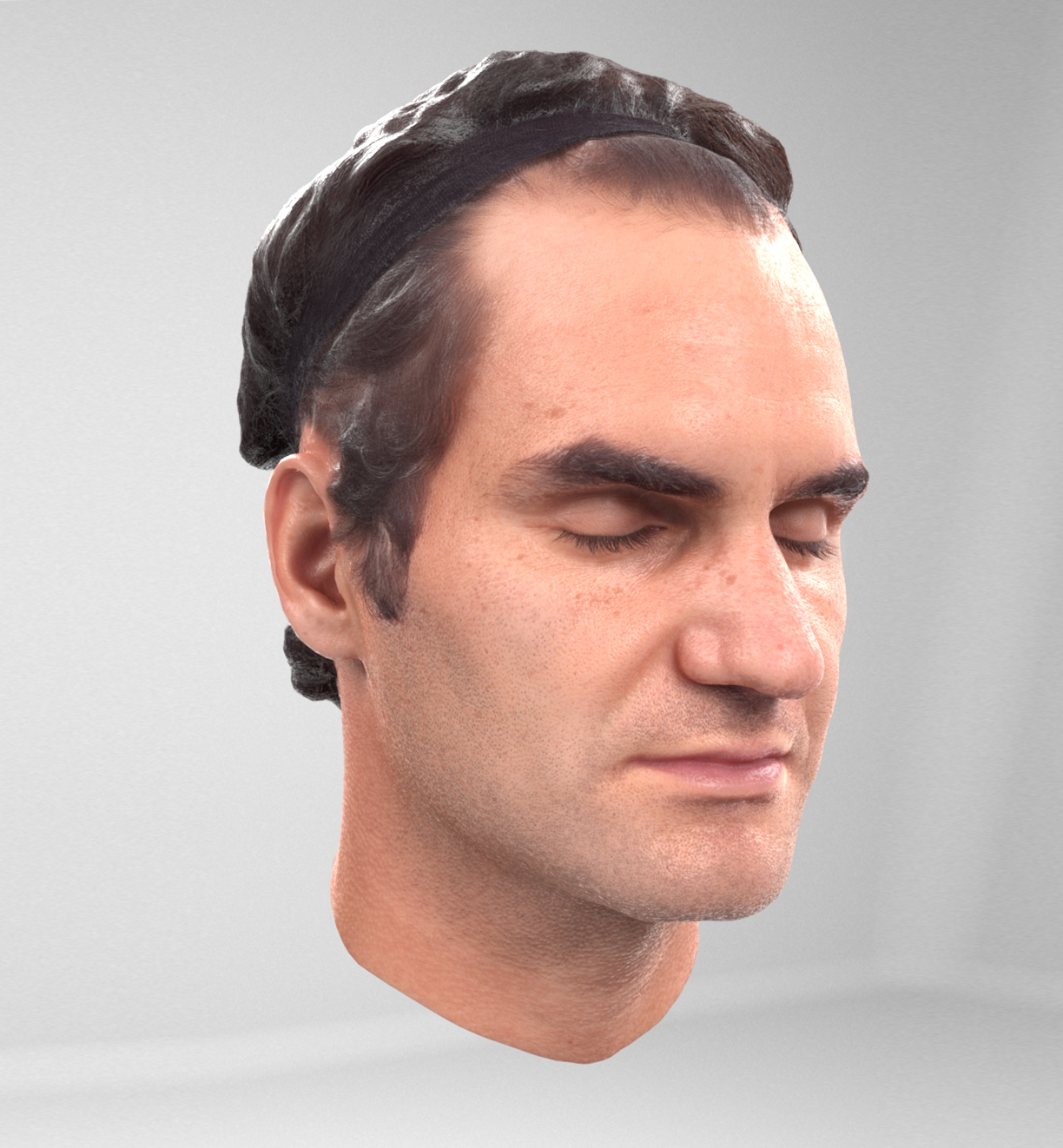
Retopology for game characters means rebuilding the surface of a dense scan or sculpt into a mesh suited to animation and real-time use. The goal is to preserve the character's shape while giving riggers, texture artists and engine teams a structure they can work with. A convincing still render is a useful visual check; production approval also needs movement and delivery checks.
For a studio commissioning character work, the important questions concern deformation, facial requirements, detail transfer and the receiving pipeline. This guide explains what to put in the brief, what to test and what to include in a quote. Use it alongside the broader 3D modeling for games guide when planning the complete asset workflow.
Table of Contents
Define what the character must do
A scanned athlete, a stylized hero and a background crowd character have different needs. Start with the movement, camera distance and target platform. A character seen during close-up dialogue needs careful treatment around the eyelids, lips and jaw. A gameplay character with large shoulder rotations needs a mesh that supports those poses. Some characters need both.
Before an artist begins, agree on whether the asset needs facial blend shapes, interchangeable clothing, shared skeletons or several levels of detail. Ask the receiving team for its naming, scale, orientation and file requirements. Include a representative movement or pose list so that topology decisions can be reviewed against the actual game rather than an unspecified idea of quality.
There is no universal polygon count that makes every character game-ready. Establish a working budget with the technical art team, then evaluate the character under its intended runtime conditions. Mesh density, material complexity, skinning, morph targets and the number of visible characters can all affect the production decision. A proposed reduction should preserve what matters at the relevant viewing distance.
The custom character creation service is the appropriate starting point when modeling, texturing and preparation need to be scoped together. Make clear which tasks already exist internally and which stages a production partner should deliver. This prevents two teams assuming that the other owns a necessary correction.
Move from scan or sculpt to a controlled mesh
A raw scan is source material. It can contain holes, noisy regions, occluded surfaces and areas that need reconstruction. A sculpt may intentionally carry far more geometry than the final game asset. Inspect the source before agreeing on a fixed scope: missing ears, fingers or costume regions can add modeling work before retopology starts.
Retopology rebuilds the surface around the character's forms and intended movement. The artist decides where edges should follow facial features and joints, where more density is needed and where it can be reduced. The result should preserve the approved silhouette and likeness at the agreed review distance. It should also allow the receiving team to identify and edit important regions.
UV creation and baking are related stages that need an explicit owner. High-resolution surface detail can be transferred to maps, but a normal map does not replace geometry needed for the silhouette. Review the baked result under useful lighting and inspect seams and projection problems. Avoid approving only a wireframe when the final textured result has not been checked.
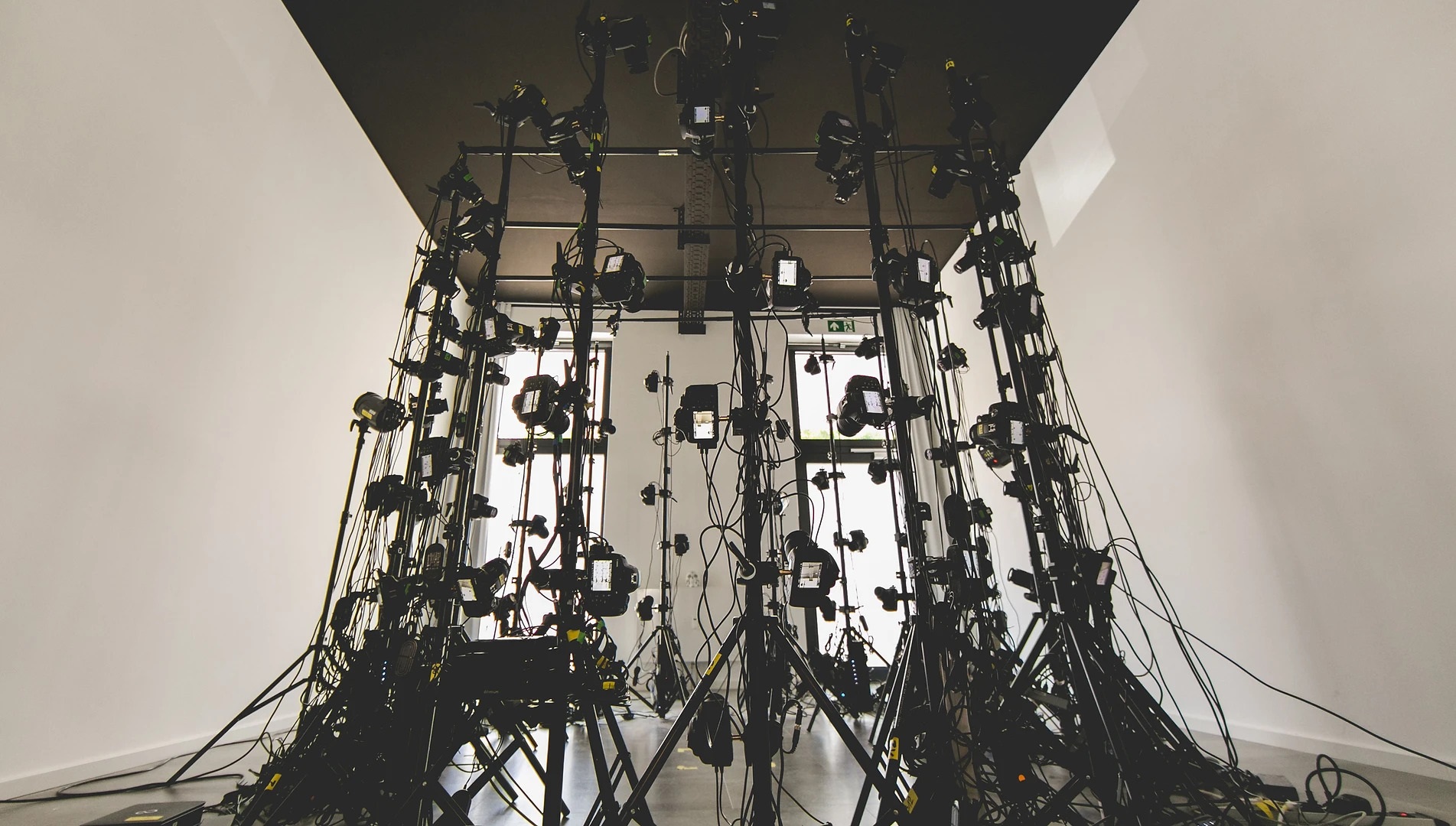
When capture is part of the project, the game-character scanning page explains the distinction between scan delivery and downstream asset production. The scanning production guide covers capture planning in more detail. This retopology stage should have its own agreed output and approval gate.
Choose a method around the required result
Manual retopology gives the artist direct control over edge placement. Automatic tools can provide a starting point, while template-based workflows can help when characters need a consistent layout. A useful supplier discussion asks how the chosen method supports the final deformation and delivery requirements, rather than treating a tool name as proof of quality.
Autodesk describes manual and automatic approaches as a trade-off between control and automation. Its retopology guidance also explains the relationship with deformation and UV mapping. For a production character, review the resulting mesh around the face and joints instead of assuming an automatic result is acceptable because it looks regular at rest.
If characters must share blend shapes or other vertex-dependent data, establish the required topology and vertex correspondence before the work starts. Retopologizing each character independently may create incompatible layouts. A template can help with consistency, but it still needs to fit the subject and pass the agreed expression and pose tests.
Discuss quads and triangulation in context. Quads can be useful while authoring and editing a deforming mesh, but Unreal's skeletal mesh pipeline uses triangles. Agree on the triangulation and export workflow with the receiving team, then test the delivered result. A claim that every runtime face must remain a quad is not a useful acceptance rule.
Test deformation before approving the mesh
Build a short review set that represents the character's job. For a humanoid, that might include an arm raise, elbow bend, shoulder rotation, squat and head turn. For a speaking character, include a blink, jaw opening and selected mouth shapes. Use the intended rig or an agreed test setup and record the conditions used for review.
Check whether the silhouette holds, whether surfaces intersect and whether important volumes collapse or pinch. Pay attention to costume boundaries, fingers, eyelids and the corners of the mouth. A failure can involve topology, skin weights, joint placement or corrective shapes, so identify the cause with the rigging team rather than moving vertices without a diagnosis.
The character rigging application page describes the next stage, while the rigging handoff guide covers skeleton, skinning and delivery questions. Keep a clear boundary between mesh approval and final rig approval, with shared tests where the two stages depend on each other.
Consider an illustrative athlete brief: the character must serve, look over one shoulder and speak in a close-up scene. Review the shoulder during the serve, the neck during the turn and the face during the expression set. If the elbow pinches, log the pose and affected region, agree on the repair owner and repeat the same test after correction. This is a hypothetical acceptance example, not a claim about a client project.
Agree the engine handoff and quote scope
Specify the editable source, export format, material assignments, texture maps and any required LODs. Confirm whether the delivery is a mesh ready for the rigging team, a skinned character or an asset validated in the receiving engine. Those are different packages. Include the software and engine versions that matter to the handoff rather than assuming every exporter uses identical defaults.
Epic's FBX skeletal mesh documentation covers supported features such as UV sets, morph targets and LODs. Use the documentation applicable to your engine version when agreeing export settings. For wider runtime considerations, consult the game asset optimization guide without turning this article into a general performance checklist.
Quote differences often reflect different assumptions. Ask whether the price includes source cleanup, missing-surface reconstruction, facial topology, UVs, baking, costume layers, variants, LODs and deformation review. State how many characters share a layout and what happens if the approved design changes. Include the number of review rounds and a definition of what counts as a correction versus new scope.
For a useful comparison, send each supplier the same representative source and requirements. Request a sample review where feasible, with the expected output clearly defined. The game art outsourcing quote guide provides a broader comparison framework. Avoid choosing on mesh price alone when another quote includes preparation and checks that your team would otherwise need to perform.
Prepare a brief the team can assess
Send a representative source mesh or approved screenshots, the intended camera distance, movement and facial requirements, target engine and platform, and a list of required deliverables. State whether the character comes from a scan or sculpt and identify any known gaps. Share confidential files only through a channel agreed with the team; an initial enquiry can describe the asset without attaching sensitive production material.
Turn acceptance into a short list: the approved likeness and silhouette are preserved; important deformation regions pass the agreed poses; UVs and baked detail are reviewed; file names, scale and orientation match the receiving workflow; and the delivered files open or import as agreed. Record exceptions explicitly so they are not discovered during animation production.
If the project has a roster, approve a representative character before extending the workflow. Choose a sample that exposes relevant complexity, such as a close-up face, layered clothing or a challenging movement. Keep the review findings with the brief so that subsequent characters follow an approved standard instead of relying on recollection or a single attractive render.
Mimic Gaming can discuss the character-production scope alongside scanning, modeling and rigging requirements. Describe the source you already have and the result your team needs. This makes the enquiry more useful than asking for a generic price for a game-ready character, where each participant may understand a different deliverable.
Frequently asked questions
What is retopology for game characters?
It is the process of rebuilding a character's surface into a mesh suited to its intended animation and runtime use. The work considers edge placement, density, silhouette and downstream needs. It is usually one stage within a larger modeling, texturing, rigging and engine-delivery workflow.
Does a 3D scan automatically become a game-ready character?
No. A scan supplies geometry and visual reference, but the finished asset may require reconstruction, retopology, UVs, baking, materials, rigging and engine checks. Agree which stages are included in the scan quote and which are separate deliverables.
Can automatic retopology replace manual work?
Automatic tools can help produce a starting mesh. Whether that result is usable depends on the character, movement and delivery requirements. Facial regions and joints deserve close review, with manual corrections where the agreed tests reveal problems. Judge the delivered mesh rather than the tool label.
How is retopology different from rigging?
Retopology concerns the mesh surface and its structure. Rigging creates the controls and deformation setup used to move it. The stages influence each other: a topology decision can affect deformation, and a planned facial or body rig can change what the mesh needs to support.
How many polygons should a game character have?
There is no single correct number. The budget depends on the target platform, viewing distance, simultaneous characters and the wider asset setup. Agree a budget with the technical art team and test the character in representative conditions. Include LOD requirements where they apply.
Does every character need the same topology?
Not necessarily. Shared topology can be important for workflows that depend on vertex correspondence or reusable facial data. A unique creature or specialized character may need a different layout. Decide what must be shared before production and validate that the chosen approach supports those needs.
What affects the cost of character retopology?
The source condition, face and costume complexity, required density, variants and downstream work all affect scope. UVs, baking, LODs, deformation tests and engine validation may be included or separate. Compare written deliverables and review assumptions before comparing headline prices.
What should I send when asking for an estimate?
Provide a representative mesh or screenshots, source type, target engine, platform, movement and facial requirements, character count and required files. Note any known gaps and explain who owns rigging and integration. The team can then clarify the work needed and an appropriate next review step.
Conclusion
A useful retopology brief connects the source asset to the character's actual performance requirements. Agree the topology approach, review representative movement and define the files that the next team will receive. These decisions give both the studio and its production partner a clearer basis for approval.
Discuss your character production brief with Mimic Gaming. Share your scan or sculpt requirements, target engine and intended animation use so the team can assess the scope.
AI assistance was used in preparing this guide. The athlete example is illustrative; no client results or project-specific retopology methods are claimed.
 November 19, 2025
 June 18, 2026
 November 18, 2025